EventStream: Building a Self-Hosted Calendar Aggregator with MCP Integration
"A work meeting landed on top of a personal commitment because I forgot to cross-reference my Google Calendar before accepting the invite in Outlook."
I double booked myself again. A work meeting landed on top of a personal commitment because I forgot to cross-reference my Google Calendar before accepting the invite in Outlook. It's embarrassing every time it happens, and it keeps happening because I have a work calendar in Exchange, a personal calendar in Google, Jays game schedules, and a handful of other ICS feeds I subscribe to, and none of them talk to each other unless I manually do the bookkeeping. Small friction, but it adds up fast.
When I started thinking about giving an AI assistant visibility into my schedule, the problem got worse before it got better. The obvious answer is to connect everything to one of the big cloud calendar integrations. Microsoft Copilot knows your Outlook calendar. Google's AI knows your Google Calendar. But getting all of that into a single AI context means either picking a winner and migrating everything (not happening), or routing your personal schedule through a third-party service that your employer's security policy may or may not allow. Mine doesn't. And honestly, even if it did, I'm not especially enthusiastic about Microsoft or Google's AI infrastructure having a consolidated view of every appointment in my life.
So what can we do about this?
I spent the better part of a weekend building EventStream, a self-hosted Java service that ingests any number of ICS calendar feeds and exposes them through a unified REST API and a native MCP server. You run it yourself, you own the data, and your AI assistant talks to your instance rather than to someone else's cloud.
The Problem With "Just Connect Everything"
For those not familiar with the AI integration landscape right now, MCP (Model Context Protocol) is the emerging standard for giving AI assistants structured access to external tools and data sources. Claude Desktop supports MCP servers natively. If you have an MCP server that can answer "what's on my calendar today?", Claude can just ask it. No copy-pasting, no context window stuffing, no manually telling the assistant what your week looks like.
The catch is that every existing calendar MCP integration I looked at assumes you're working with a single calendar source. My reality is three or four feeds that don't live in the same place. And even if I could aggregate them externally, I'd be handing that consolidated view to yet another service. Your calendar reflects your actual life, which makes it sensitive by definition.
There's also a subtler problem that doesn't get talked about enough: not everything on your calendar is relevant to an AI assistant. My wife's dinner plans are on our shared family calendar because it's useful for me to see them. They are absolutely not relevant to a work scheduling query. If I ask Claude to find me a free 90-minute block on Friday, I don't want it treating "spouse going out for dinner" as a conflict. That's an FYI, not a commitment.
What EventStream Actually Does
EventStream subscribes to any number of ICS feeds (Google Calendar, Outlook/Exchange, iCloud, sports schedules, anything that exposes a standard ICS URL) and stores everything in a local MariaDB database. It handles recurring event expansion properly using ical4j, including RRULE, RDATE, and EXDATE rules. Events are stored in UTC and displayed in whatever timezone you configure.
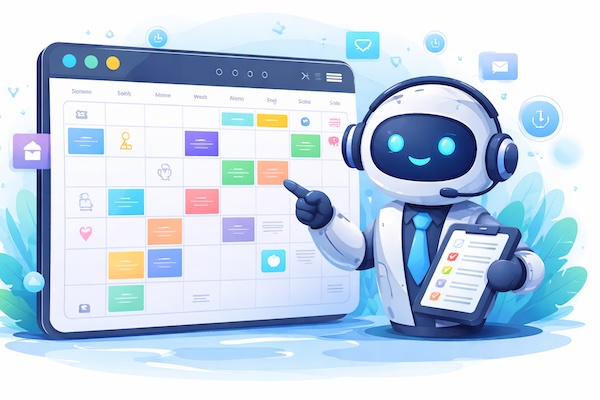
The web dashboard gives you a unified agenda view with per-feed colour coding and support for hiding individual events. That last part is the key feature for the use case I described above. Hidden events stay visible to you in the dashboard so you have full context, but they're excluded from the REST API, the free time calculations, and the MCP server. Your AI assistant only sees what you decide it should see.
It also has a built-in office location tracker. You configure your possible locations (HQ, branch office, home, whatever applies to you), set day-of-week defaults, and override per day as needed. Claude can then answer "where am I working from on Monday?" or factor your location into scheduling suggestions. Small feature, but surprisingly useful when you're trying to book meetings that require you to actually be in a specific place.
The MCP Integration
Wiring EventStream into Claude Desktop takes about two minutes. Install the mcp-remote npm package and add a single entry to your Claude Desktop config file pointing at your EventStream instance:
{
  "mcpServers": {
    "calendar": {
      "command": "npx",
      "args": ["mcp-remote", "http://localhost:8080/mcp/sse"]
    }
  }
}
Restart Claude Desktop and the calendar tools show up in the tools list. From there you can ask natural language questions grounded in your actual schedule: "What's on my calendar today?", "When am I free for 90 minutes on Friday?", "Do I have anything with [person] this week?", "I'll be at the branch office on Wednesday." That last one actually writes the update back, which is a nice touch.
The MCP server exposes seven tools covering event queries, free time calculation, calendar feed status, and office location management. The event endpoints also support plain text output, which keeps token usage reasonable when you're pulling a week's worth of events into context.
The Bottom Line
The bottom line is that calendar data is personal, the tools that want access to it are multiplying fast, and "just connect everything to the cloud" is not always the right answer, especially if you work somewhere with actual security policies. EventStream is my answer to that problem: one service, self-hosted, that aggregates everything and speaks MCP natively.
But wait -- there's more. Because EventStream is built on a standard ICS foundation, it works with essentially any calendar source that can export a feed URL. Google, Outlook, iCloud, sports schedules, event ticketing systems, anything. If it speaks ICS, EventStream can consume it.
The code is on GitHub at github.com/matthewmgamble/eventstream under MIT license. If you're already running self-hosted services and want your AI assistant to actually understand your schedule without routing it through someone else's infrastructure, it's worth a look. The setup is straightforward if you're comfortable with Java and MariaDB, and the README walks through everything from database setup to Caddy reverse proxy configuration.